 FocusGuardFocusGuard
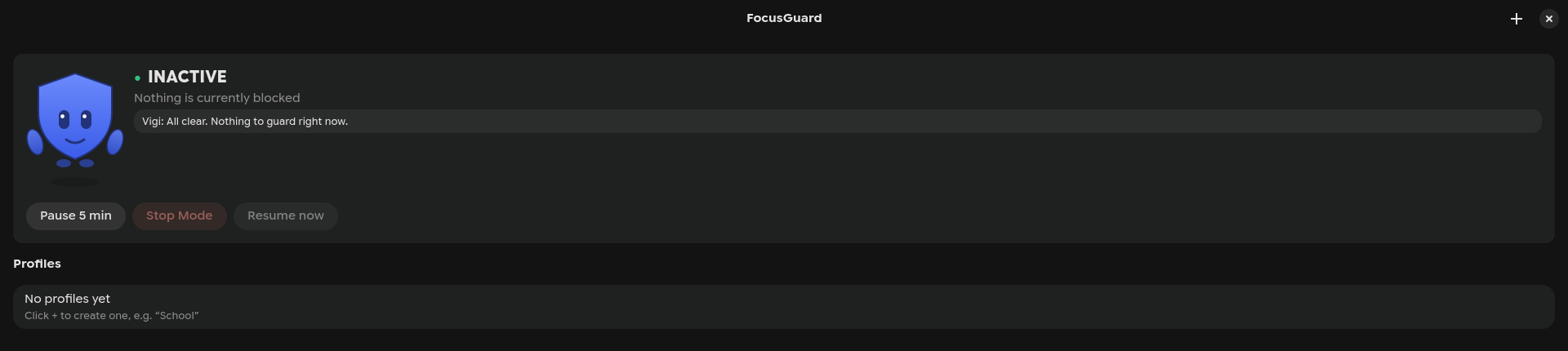
Pick apps in a native GTK4 window. Schedule them, or block them on the spot. A background daemon actually stops them from running. No root required.



$ focusguardctl vigi

     .-------.
    /  o   o  \
   |     ‿     |
    \_________/
       Vigi

  Vigilance intensifies.

# a block that actually blocks
$ focusguardctl start School
ACTIVE - blocking 4 app(s)
  School               ACTIVE
A small shield who blinks, glances around, waves, and shows up the moment a blocked app gets caught, not a nag, just a friendly redirect.
In the optional Quickshell bar widget, pixel-art Vigi keeps tabs on what's actually happening on your screen, independent of whether FocusGuard is blocking anything.
Not a honor-system timer. Not built for a desktop you're not running.
Not a web page in a window. A real, polished Linux desktop app.
Via Gio.DesktopAppInfo, with icons, search, Select All / Clear All.
Days of week, start/end time, correctly handles windows that cross midnight.
"Start School now for 45 minutes" from the GUI or CLI, no schedule needed.
School, Study, Gaming, Bedtime, each with its own apps, schedule, and duration.
Pause 5 min, Stop Mode, or Resume: visible, deliberate, never a silent bypass.
On block start/end, with a friendly nudge line from Vigi, throttled per app.
A scriptable CLI: you choose the key, nothing touches your Hyprland config.
Runs entirely as your user, with a locked-down socket and protected processes.
Status, controls, and profiles, all in one clean window.
| Tool | Why it doesn't fit |
|---|---|
| Timekpr-nExT | Manages session time budgets, no concept of blocking individual apps while you're logged in. |
| Malcontent | Built around Flatpak's permission store and GNOME session services, a poor fit for a minimal Hyprland setup. |
| cgroups alone | Can throttle a process group but can't stop a new one from launching without root + a BPF LSM filter. |
So FocusGuard does what this class of tool has always done on Linux without root:
a fast poll-and-kill loop over /proc, matched against exact executable signatures.
Two ways in, pick whichever fits your workflow.
Full README → with configuration docs, CLI reference, Quickshell/Waybar widgets, and security notes.